AdSense Approval Checklist: Everything You Need to Get Google AdSense Approval 2026
AdSense Approval Checklist: Getting approved for Google AdSense is one of the most important milestones for website owners, bloggers, publishers, and content creators. AdSense provides a reliable way to monetize website traffic by displaying relevant advertisements and generating revenue from clicks and impressions.
However, many website owners submit their applications only to receive rejection notices from Google. The problem is often not a lack of traffic but rather issues related to website quality, content, policies, user experience, and technical setup.
If you want to maximize your chances of approval, you need a structured approach before submitting your application. This AdSense Approval Checklist covers everything you need to verify before applying, helping you avoid common mistakes and improve your chances of getting approved on the first attempt.
What Is Google AdSense?
Google AdSense is an advertising program that allows website owners to earn money by displaying advertisements on their websites. Advertisers bid for ad placements through Google’s advertising network, and publishers receive a share of the advertising revenue.
Once approved, website owners can place ad units across their content and generate income whenever visitors interact with those ads.
AdSense is popular because:
- It is free to join.
- Ads are automatically optimized.
- It works for small and large websites.
- Payments are reliable.
- Multiple ad formats are available.
However, Google only approves websites that meet specific quality and policy requirements.
Why AdSense Applications Get Rejected?
Many publishers assume traffic is the primary factor for approval. While traffic helps, Google focuses more on website quality.
Common rejection reasons include:
- Thin content
- Poor navigation
- Lack of important pages
- Policy violations
- Copyright issues
- Low-quality design
- Insufficient original content
- Incomplete website setup
- Poor user experience
- AI-generated content with little value
Understanding these factors allows you to fix issues before applying.
AdSense Approval Checklist at a Glance
| Checklist Item | Recommended Status |
|---|---|
| Custom Domain | Required |
| Professional Design | Required |
| Mobile-Friendly Website | Required |
| SSL Certificate (HTTPS) | Required |
| Original Content | Required |
| About Us Page | Required |
| Contact Page | Required |
| Privacy Policy | Required |
| Terms and Conditions | Recommended |
| Disclaimer Page | Recommended |
| Easy Navigation | Required |
| No Copyright Violations | Required |
| Policy-Compliant Content | Required |
| Fast Loading Speed | Recommended |
| Indexed Content | Required |
| Clear Menu Structure | Required |
| Regular Content Updates | Recommended |
| No Broken Links | Required |
| User-Friendly Layout | Required |
| Sufficient Content Volume | Required |
Important AdSense Information
| Item | Details |
| Minimum Age | 18 Years |
| Application Cost | Free |
| Website Language | Must be supported by AdSense |
| Content Ownership | Must be original |
| Website Security | HTTPS recommended and expected |
| Traffic Requirement | No official minimum |
| Content Requirement | High-quality and valuable |
| Approval Time | Varies from days to weeks |
| Multiple Sites | Can be added after approval |
| Payment Threshold | Determined by AdSense country policies |
Use a Custom Domain Name
A professional website should use a custom domain instead of a free subdomain whenever possible.
Examples:
Good:
- yourwebsite.com
- yourblog.net
Less Professional:
- yourwebsite.freeplatform.com
A custom domain signals credibility and commitment to maintaining a long-term website.
Although AdSense may approve some subdomains, custom domains generally have a higher chance of approval.
Create High-Quality Original Content
Content quality is the single most important factor in AdSense approval.
Google wants to display advertisements on websites that provide genuine value to users.
Your content should be:
- Original
- Informative
- Helpful
- Well-written
- Easy to understand
- Free from plagiarism
Avoid:
- Copying content from other websites
- Rewriting articles without adding value
- Automatically generated pages
- Keyword stuffing
Each article should demonstrate expertise and provide useful information.
Publish Enough Content Before Applying
A common mistake is applying with only a few articles.
Although Google does not publish an exact requirement, many successful websites have:
- 20 to 30 quality articles minimum
- 800 to 1500+ words per article
- Multiple categories
- Consistent publishing history
The goal is to show Google that your website is active and useful.
Focus on Content Depth
Thin content often leads to rejection.
Instead of publishing dozens of short posts, create comprehensive articles that answer user questions thoroughly.
Good content typically includes:
- Introduction
- Main discussion
- Examples
- Supporting information
- Conclusion
Long-form content generally performs better because it provides more value to readers.
Create Essential Website Pages
Certain pages are expected on most AdSense-approved websites.
About Us Page
Explain:
- Who you are
- What your website covers
- Your mission
- Your expertise
This helps establish trust.
Contact Page
Provide ways for visitors to reach you.
Options include:
- Contact form
- Business email
- Social media profiles
Google wants to know your website is operated by real people.
Privacy Policy
This page is extremely important.
Your Privacy Policy should explain:
- Data collection
- Cookie usage
- Analytics tools
- Advertising practices
AdSense reviewers often expect a Privacy Policy page before approval.
Terms and Conditions
Although not always mandatory, Terms and Conditions improve website credibility.
Disclaimer Page
Useful for:
- Financial websites
- Health websites
- Educational websites
- Review websites
A disclaimer helps clarify limitations of your content.
Ensure Mobile Responsiveness
Most internet users browse on mobile devices.
Your website should:
- Adapt to different screen sizes
- Display content correctly
- Load quickly on smartphones
- Have readable fonts
Google evaluates user experience across all devices.
Before applying, test your website on:
- Android devices
- iPhones
- Tablets
- Desktop computers
Improve Website Design
Your website should appear professional and trustworthy.
A good design includes:
- Clean layout
- Readable typography
- Proper spacing
- Consistent branding
- Organized categories
Avoid:
- Excessive popups
- Cluttered layouts
- Distracting animations
- Poor color combinations
Professional appearance contributes significantly to approval chances.
Use HTTPS Security
Google prioritizes secure websites.
An SSL certificate:
- Encrypts visitor data
- Builds trust
- Improves credibility
- Enhances security
Your website URL should start with:
https://
Instead of:
http://
Most hosting companies provide free SSL certificates.
Build a Clear Navigation Structure
Visitors should easily find information.
Good navigation includes:
- Main menu
- Categories
- Search functionality
- Internal links
Reviewers should be able to access your content without confusion.
Remove Broken Links
Broken links create a poor user experience.
Check for:
- 404 pages
- Missing images
- Invalid redirects
- Dead outbound links
Fixing these issues demonstrates website maintenance and professionalism.
Avoid Copyright Violations
Google is strict about intellectual property.
Do not use:
- Copied articles
- Unauthorized images
- Pirated software
- Downloadable copyrighted content
Use:
- Original writing
- Licensed images
- Public domain resources
- Properly attributed media when allowed
Copyright violations frequently lead to rejection.
Avoid Prohibited Content
AdSense does not allow certain categories of content.
Examples include:
- Adult content
- Illegal activities
- Violence
- Hate speech
- Dangerous content
- Copyright infringement
- Misleading information
Review your entire website before applying.
Even a few problematic pages can result in rejection.
Check Website Loading Speed
Fast websites provide a better user experience.
Improve speed by:
- Compressing images
- Using caching
- Choosing quality hosting
- Minimizing unnecessary plugins
A slow website can negatively impact overall quality assessments.
Make Sure Pages Are Indexed
Google should be able to access and index your content.
Verify:
- Pages appear in search results
- Sitemap exists
- Robots.txt is configured correctly
- No accidental blocking of important pages
Unindexed websites may struggle during the review process.
Add Internal Links
Internal linking helps users discover more content.
Benefits include:
- Better navigation
- Improved user engagement
- Stronger site structure
- Easier content discovery
Every article should connect naturally to related content.
Avoid Excessive Advertising Before Approval
Some website owners place too many third-party advertisements before applying.
This can create a poor user experience.
Keep your website clean and focused on content until AdSense approval is secured.
Demonstrate Expertise and Authority
Google values websites that show expertise.
Ways to build authority include:
- Detailed articles
- Author information
- Research-based content
- Consistent publishing
The more useful your website appears, the better your chances.
Maintain Consistent Branding
Your website should have:
- Logo
- Consistent colors
- Clear identity
- Professional presentation
Strong branding signals legitimacy.
Review Grammar and Spelling
Poor writing quality can hurt approval chances.
Before publishing:
- Proofread articles
- Correct grammar errors
- Fix spelling mistakes
- Improve readability
Quality content reflects professionalism.
Check User Experience
Ask yourself:
- Is the website easy to use?
- Can visitors find information quickly?
- Are pages visually appealing?
- Does the site feel trustworthy?
User experience plays a significant role in approval decisions.
Prepare Before Submitting
Before applying, verify:
- All pages work correctly.
- Essential pages are published.
- Content is original.
- Navigation is clear.
- Mobile responsiveness is tested.
- Policies are followed.
- Website is secure.
Completing these steps dramatically improves your chances of success.
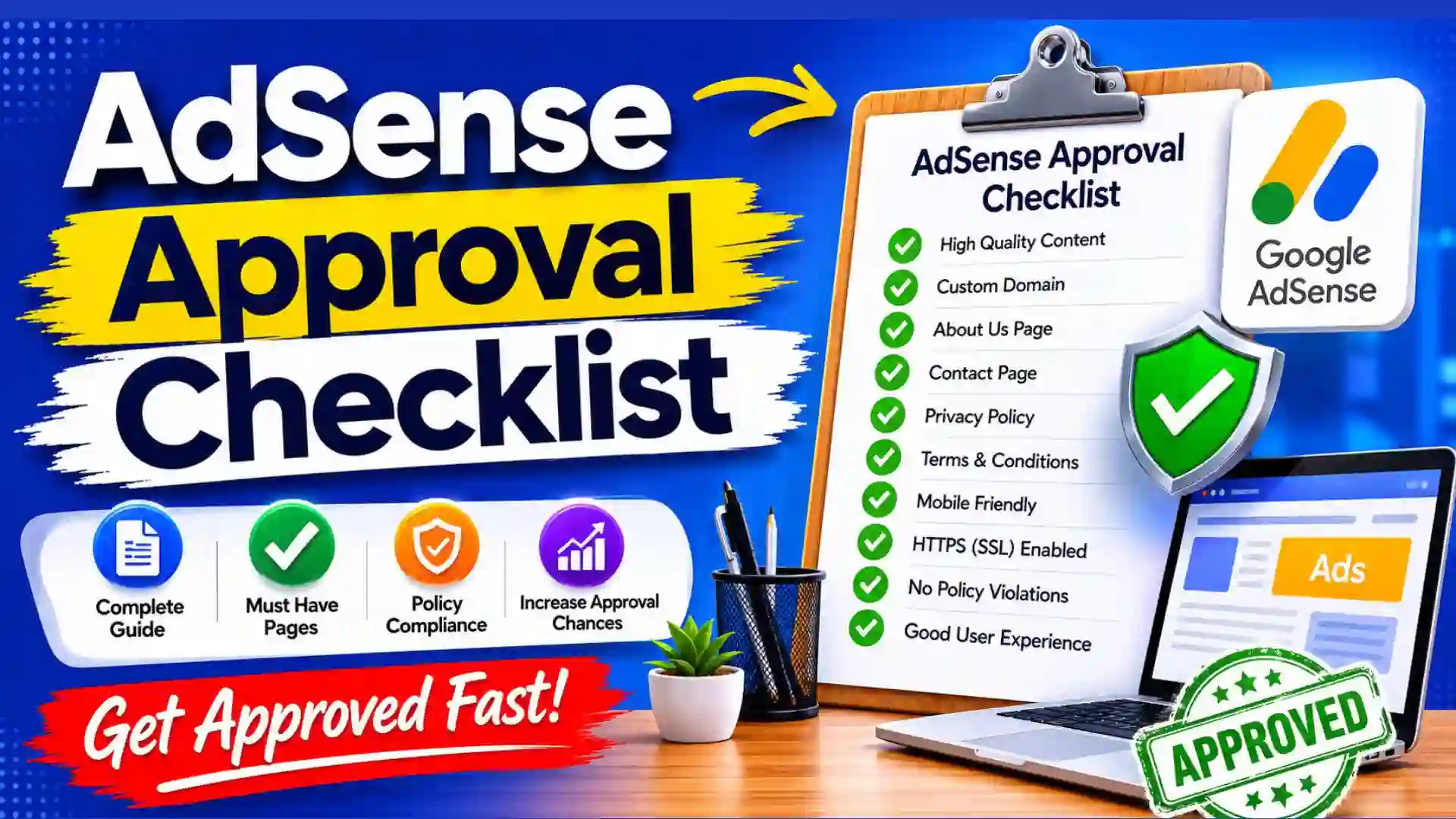
Final AdSense Approval Checklist
Before clicking the submit button, confirm the following:
- Custom domain installed
- HTTPS enabled
- About Us page published
- Contact page published
- Privacy Policy published
- Terms and Conditions page added
- Disclaimer page added
- 20+ quality articles published
- Original content only
- Mobile-friendly design
- Fast loading speed
- No broken links
- Easy navigation
- Copyright-compliant media
- Policy-compliant content
- Indexed pages
- Internal linking structure
- Professional appearance
- Consistent branding
- Positive user experience
If every item is checked, your website is likely ready for AdSense review.
FAQ About AdSense Approval Checklist
How many articles do I need before applying for AdSense?
There is no official number, but many successful applicants have at least 20 to 30 high-quality articles published before submitting their application.
Does AdSense require a minimum amount of traffic?
No. Google does not specify a minimum traffic requirement. Website quality matters more than visitor numbers.
Can a new website get AdSense approval?
Yes. New websites can receive approval if they meet content quality and policy requirements.
Is a Privacy Policy mandatory for AdSense?
While Google does not always explicitly state it as an approval requirement, having a Privacy Policy is strongly recommended and expected for most websites.
Can AI-generated content get AdSense approval?
AI-assisted content can be approved if it provides genuine value, is original, accurate, edited by humans, and meets Google’s quality standards. Low-quality automated content may lead to rejection.
How long does AdSense approval take?
Review times vary. Some websites receive decisions within a few days, while others may take several weeks.
Can I reapply after rejection?
Yes. You can fix the issues identified during review and submit another application.
Do I need a custom domain?
While some subdomains may qualify, a custom domain generally appears more professional and can improve approval prospects.
Conclusion
Obtaining Google AdSense approval is not about finding shortcuts or exploiting loopholes. Success comes from building a high-quality website that genuinely helps users. Google wants to place advertisements on websites that provide valuable information, maintain professional standards, and follow advertising policies.
The best approach is to focus on content quality, user experience, website security, and transparency. Publish original articles, create essential legal pages, optimize navigation, and ensure your site looks trustworthy on both desktop and mobile devices.
By following this complete AdSense Approval Checklist, you can significantly improve your chances of approval, reduce the likelihood of rejection, and create a stronger foundation for long-term advertising revenue.